Following the journey of building skott, here’s a quick update on the latest features added, and what it took to build them.
Summary
- Web application (v0.11.0)
- Incremental comparison (v0.12.0)
- Detecting unused third-party dependencies (v0.13.0)
Web application (introduced in v0.11.0)
For its first versions, skott’s visualization only rendered in our beloved command line interface, cool, but not ideal for real-world graph structures.
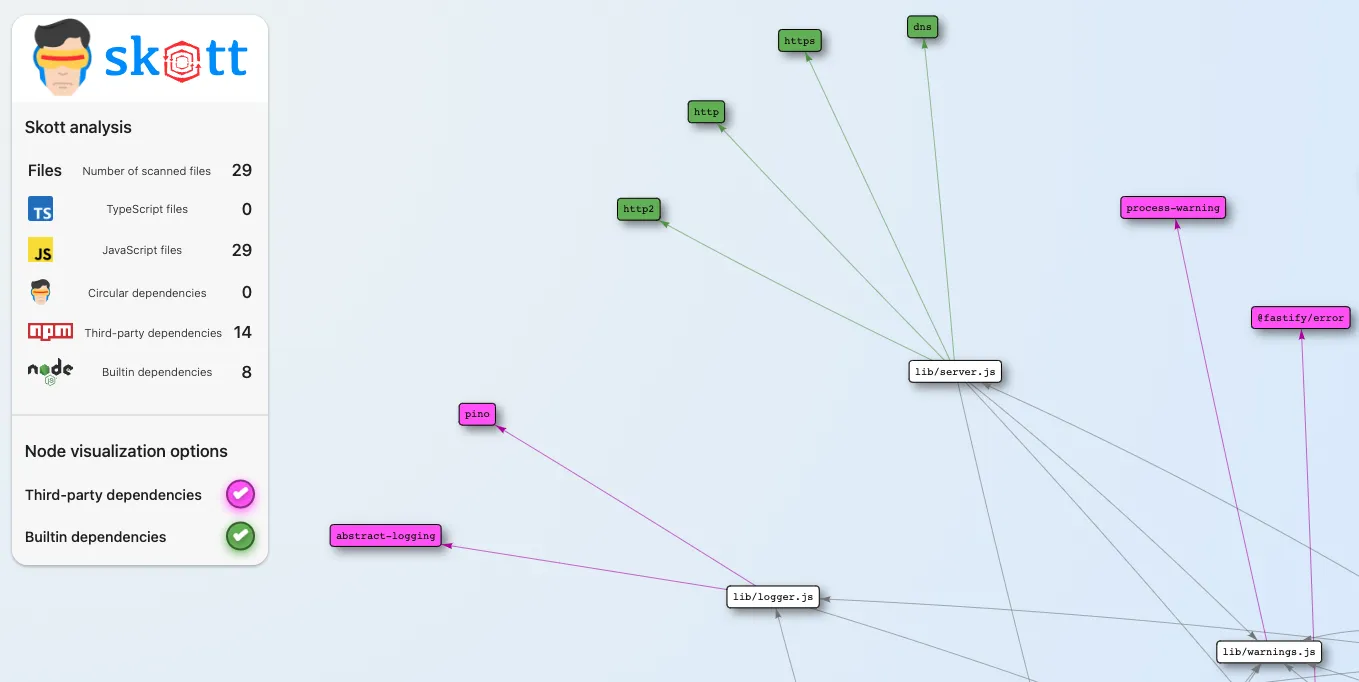
Since v0.11.0, skott embeds the new webapp display mode, which is now the default:
$ skott --displayMode=webappIf you want
third-party dependencies(npm) andbuilt-in dependencies(Node.js) to be rendered in the app, don’t forget to pass the flags to the CLI, otherwise they won’t be collected nor displayed:
$ skott --displayMode=webapp --trackThirdPartyDependencies --trackBuiltinDependenciesOnce the graph is generated, the web application automatically opens in your default browser on a free port:
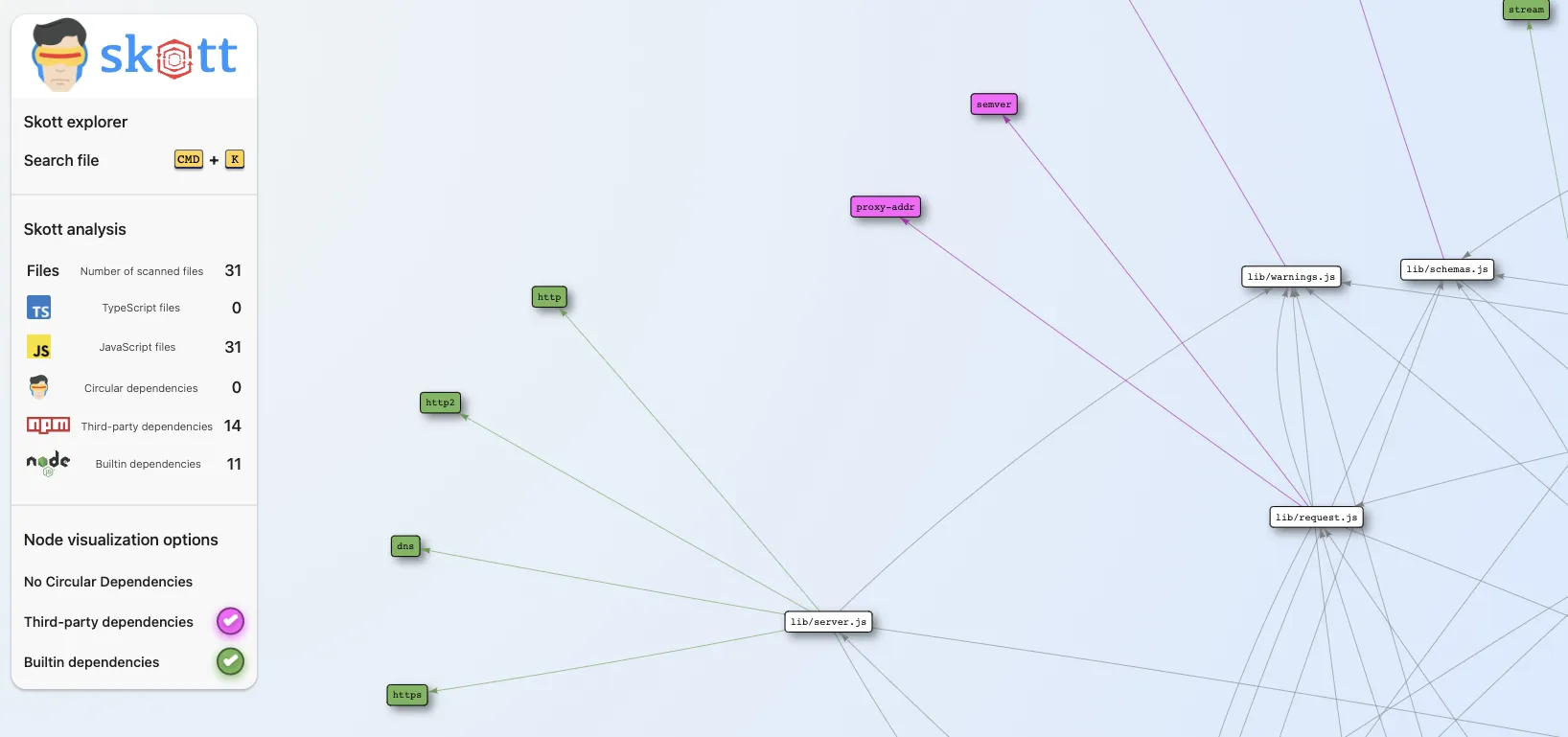
The application renders a 2D network in which files are the nodes and the links between them are directed edges. Within the left sidebar, a few things are displayed:
- some statistics (number of files, circular dependencies, etc.),
- visualization options to toggle additional nodes/edges representing
third-partyorbuilt-independencies.
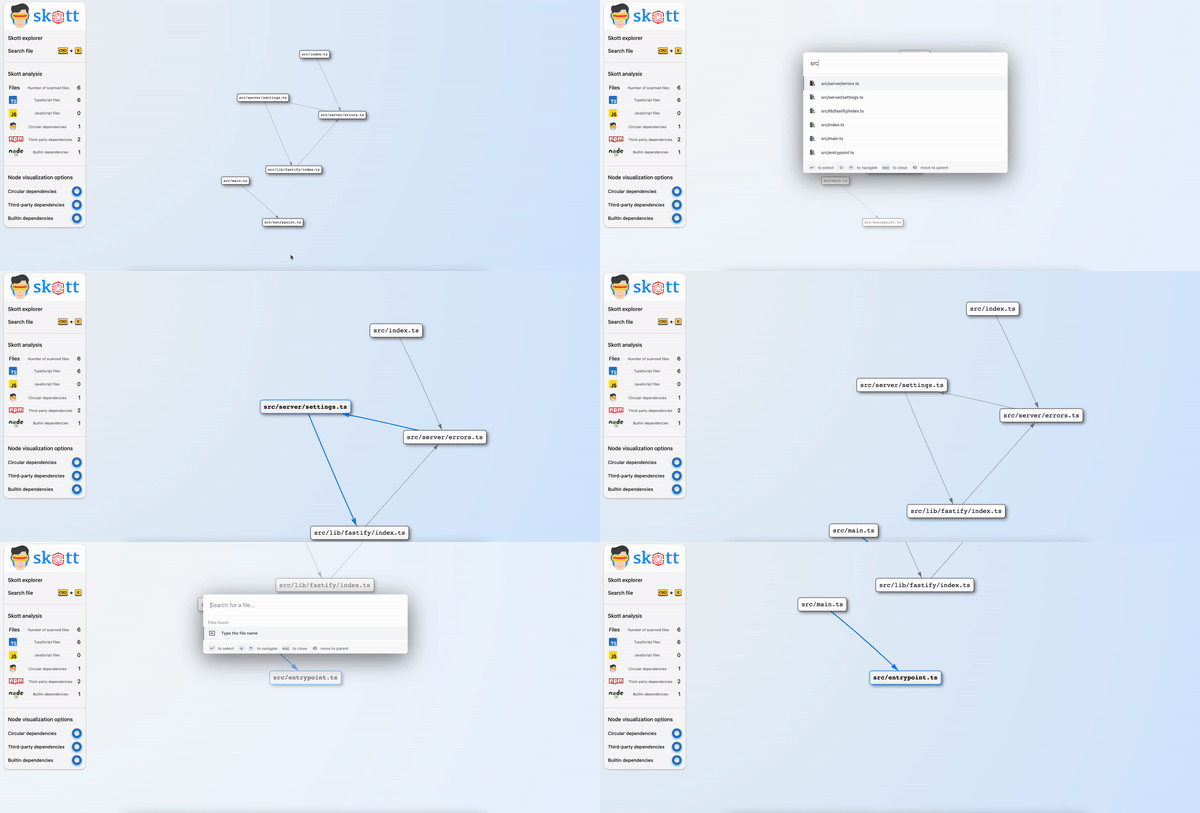
To make finding specific files easier on large graphs, a global search was recently introduced. With CMD+K / CTRL+K, files can be searched and focused on:
Thanks to @bam-charlesbo for suggesting features for the webapp.
Incremental graph processing (introduced in v0.12.0)
Computing the graph is expensive: it runs a static analysis on each file of the project, mainly involving parsing and AST walking. Depending on the language, some parsers are faster than others: JavaScript parsers are naturally faster than TypeScript ones, since TypeScript encodes a lot more information at the type level.
Introducing an incremental comparison
Even though skott can analyze thousands of files in a few seconds, performance always matters for a better DX. So here’s a first step.
In the past, I reproduced a minimalist implementation of the Affected/Incremental pattern that most monorepo tools embed natively to gain a lot of performance on heavy project graphs.
Because project graphs usually don’t change entirely (think of a few files per commit), an incremental comparison lets us heavily benefit from caching.
From v0.12.0, a first version can be enabled with the --incremental argument. A .skott folder is generated where the command is run:
$ skott --incrementalRe-running the same command, you should see the difference compared to running the analysis without the cache (the difference may be slim if the project doesn’t contain many files).
Because resolving paths from a cache involves many edge cases, incremental mode is not on by default yet, but it will be once it covers the cases I have in mind. Most of the time it already works well, so don’t hesitate to use it and open issues if you hit problems.
Unused dependencies (introduced in v0.13.0)
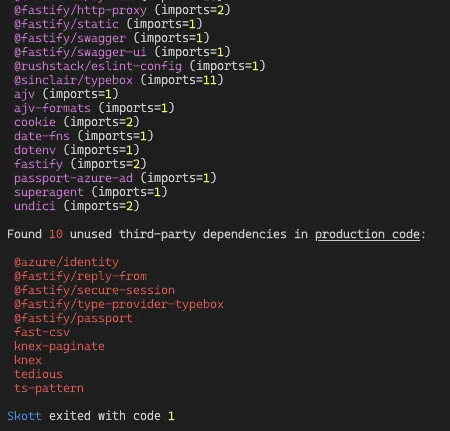
The unused dependencies feature will try to cover as many use cases as possible over time. For now, v0.13.0 introduces the detection of unused npm production dependencies. Only production code is analyzed for now, so if you use production dependencies in test files, skott will report them as unused.
$ skott --showUnusedDependencies --trackThirdPartyDependencies --displayMode=raw
--trackThirdPartyDependenciesis required for unused npm dependencies to be found.
Thanks to @ild0tt0re for the feature request.
Conclusion
That’s it for the latest updates. As promised, the next chapter covers how I leveraged Test-Driven Development and Dependency Injection to confidently develop the whole chain of file exploring, parsing and analysis.
skott is open source, feel free to explore it on GitHub.